Flowise is end of life. What to do with the flows you still run
Flowise reached end of life on 31 August 2026. The timeline, what it means for existing installs, and how to choose between staying, forking and moving on.

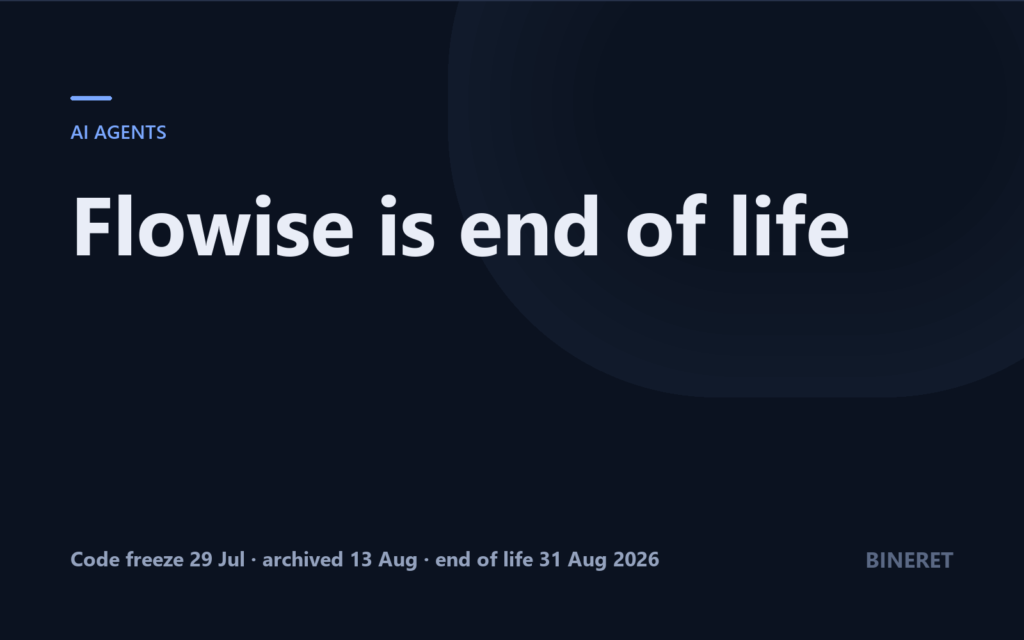
If you have a Flowise instance running a customer chatbot, an internal document assistant, or an agent flow someone built last year and nobody has touched since, it is now running on software that will not be fixed. FlowiseAI wound the project down over the summer of 2026, and on 31 August it reached end of life.
That does not mean your flows stopped working. They did not. It means every vulnerability found from here on stays open unless you, or a fork, patch it. For a tool that stores API keys and runs code, that is a deadline, just a soft one.
This guide covers the Flowise end of life timeline, what it means for an existing install, and how to decide between staying put for now, forking, and moving to a Flowise alternative.
What happened, with dates
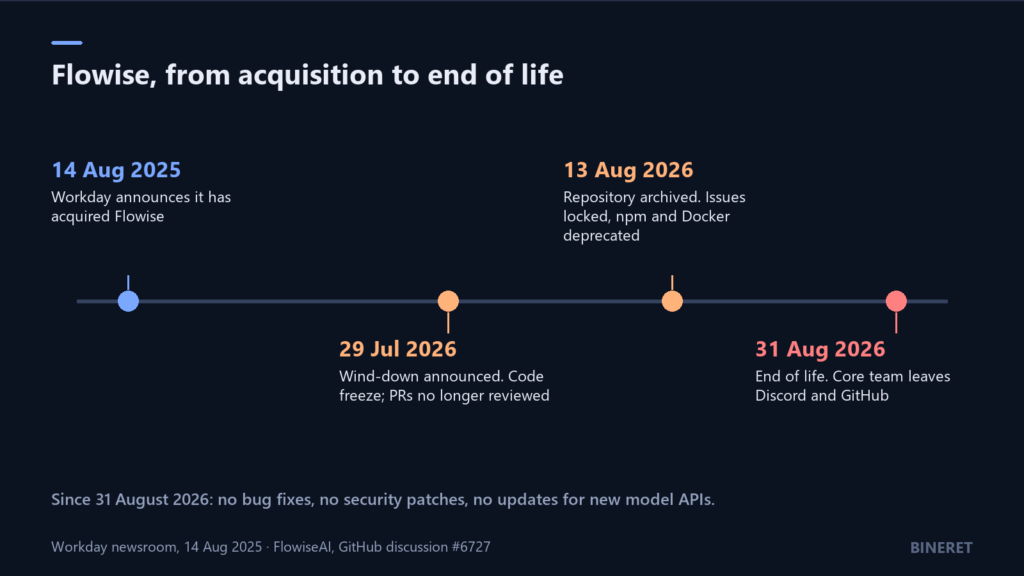
Workday announced it had acquired Flowise on 14 August 2025. Less than a year later, FlowiseAI published a shutdown notice on GitHub with a three-step timeline:
- 29 July 2026: code freeze. Feature development stopped, and new pull requests were no longer reviewed or accepted.
- 13 August 2026: archive. The GitHub repository became a public archive. The code stays visible, issues and pull requests are locked, and the notice says npm packages and Docker images are marked deprecated.
- 31 August 2026: end of life. The core team’s presence on Discord and GitHub ended.
The reason given was a shift in how people build: “As AI models become more capable at reasoning, we’ve noticed that developers are increasingly relying on new coding agents to handle complex tasks. The typical rigid workflow low-code approach quickly hits the limit when it comes to complexity.”
Not everyone accepted that explanation. In the Hacker News thread on the announcement, a number of commenters argued the real causes were closer to product and market issues and the path after the acquisition than to coding agents making low-code obsolete. For planning purposes the cause does not change much. What changes things is that nobody official is shipping fixes.
If you are still running Flowise
First, make sure you are on the last release. Flowise 3.1.4 came out on the day of the code freeze, and it is mostly security work: session ID validation, an operator-controlled allowlist for the commands custom MCP stdio servers may run, fixes to cross-workspace authorization and tenant validation, and deny-list checks in the web scrapers and some chat model nodes. The release before it fixed a clickjacking issue. If you are on anything older, upgrading to 3.1.4 closes known holes today.
Note the runtime: the package.json at 3.1.4 declares Node.js 24 and pnpm 10.26 or newer, even though the README’s quick start still mentions Node 20. Go with 24.
Then reduce what an unpatched instance can be used for:
- Take it off the public internet if it does not strictly need to be there. Put it behind a VPN or an authenticating reverse proxy, and expose only the prediction endpoints your apps call, not the builder UI.
- Rotate and scope credentials. Every model API key, database password and third-party token stored in Flowise should be one you could revoke without breaking anything else. Give each the narrowest permissions it can work with.
- Review tools that run code or fetch URLs. Custom code nodes, MCP servers and web scrapers are where an unpatched bug does the most damage.
- Back up the database and the exported flows now, while everything works.
These steps buy time. They are not a long-term plan for anything customer facing.
Your three real options
1. Fork it
FlowiseAI explicitly encourages teams to fork the repository and maintain their own updates or community forks. Most of the code is Apache 2.0, so this is legally straightforward, with one exception worth checking: everything under packages/server/src/enterprise, plus files that carry their own copyright notice, sits under a separate commercial licence.
Forking makes sense if Flowise is deeply embedded, you have engineers comfortable in a large TypeScript monorepo, and you are willing to own security patches and model API changes indefinitely. That last part is the real cost. Model providers change their APIs often, and each change becomes your work.
If a community fork gains momentum, joining it spreads that cost. As of this writing, evaluate any fork on recent commit activity and whether it is shipping security fixes, not on its star count.
2. Move to another visual builder
If people on your team build and edit flows visually and you want to keep it that way, move to a maintained builder. The closest match in scope is Langflow: a canvas of components for models, prompts, tools, vector stores and memory, a playground to run flows step by step, and flows that are callable as an API or servable as an MCP server. It is MIT licensed and actively developed. Version 1.12.0, released on 1 September 2026, added role-based authorization, pgvector knowledge bases and an opt-in microVM sandbox for code execution.
Know the differences before you commit:
- Language. Langflow is Python, and every component’s source is editable. That is a strength if your team writes Python, and a change if your Flowise customisations were JavaScript.
- Treat it as a code runner. Anyone who can edit a flow can run code on the host. Langflow before 1.3.0 had a serious unauthenticated code execution vulnerability, CVE-2025-3248. Keep it updated and never expose it without authentication in front.
- Features moved in 1.12. The admin page was removed from the open-source build in that release. If you depend on user administration, check how 1.12 handles it before migrating.
Plan on rebuilding flows rather than importing them. The two tools use different components and different export formats, so treat each Flowise flow as a specification to reimplement, not a file to convert.
3. Rewrite the flows as code
This is the option FlowiseAI’s own reasoning points to, and for some flows it is the best one. A chatflow that retrieves from a vector store and calls a model is often a few dozen lines against a model API. Code gets tests, code review and version control for free, and it has no builder UI to secure.
Many “agent” flows turn out, on inspection, to be fixed sequences of steps. Those rewrite cleanly as simple workflows. AI agents vs workflows helps sort which of your flows actually need model-driven control and which only need a few functions called in order.
Rewriting makes less sense when non-developers maintain the flows. Moving them to code moves every future change onto an engineer’s desk.
A migration checklist
- Inventory every flow. For each, note who uses it, which app or endpoint calls it, which models, tools and credentials it uses, and when it last ran. Some flows will turn out to be unused. Delete those instead of migrating them.
- Keep your vector stores. If a flow uses an external vector database, the new system can often point at the same store, as long as it uses the same embedding model. Re-embedding is only needed if you change that model.
- Write down test cases before you rebuild. Ten real inputs per flow, with the output you consider correct. Run them against the old flow now, while it still works, so you have a baseline. For retrieval flows, our RAG evaluation guide shows what to measure.
- Migrate the riskiest first: anything public facing, anything holding customer data, anything with code execution or outbound network access.
- Swap callers one at a time, keeping the old endpoint available until the new one has handled real traffic.
- Shut down and revoke. When the last caller has moved, stop the Flowise instance and revoke every credential it held.
The broader lesson
Flowise was popular, open source and backed by an acquirer, and it still went from acquisition to end of life in about a year. Open source means the code survives, which is real protection. It does not mean maintenance survives. For any tool that sits in a production path, keep flows exportable, keep test cases outside the tool, and know roughly what leaving would cost before you need to.
If you need a hand moving production flows off Flowise, whether to Langflow or to code, our AI and automation engineering service handles that kind of migration.
Comments
No comments yet — be the first to share what you think.